Home > Forum > Plugins > Adding new customers to WFELEMENTS using no package plugins

Adding new customers to WFELEMENTS using no package plugins
0

Hi all,

I have a question regarding the WFElements table and using Item list as a data source.

I have an Item list that displays customers using a SELECT query from WFElements.
I can see the Add button on the Item list and I can add rows on the UI.

My question is:
Is it actually possible to add new customers using the Item list and then persist them to WFElements (or another table) so that they appear again when opening a new workflow instance?

For example:
I want to add a new customer with a specific date and description directly in the Item list, and after saving, have this customer stored and visible in the same Item list for future instances.

Can this be achieved using Run an SQL procedure, or is Item list intended only for displaying data and not for creating new workflow elements?

Thanks in advance!

Hi,
in our setup we handle this by creating an additional process within the application — a kind of dictionary/reference process.
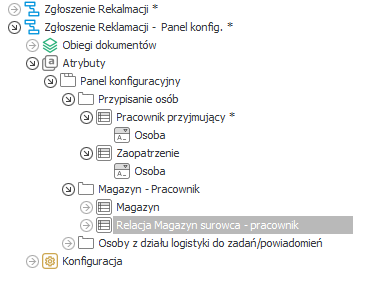
In that process, I create a list of entries and then expose its instance via a report (I usually call it a configuration panel).

Thanks to this, users can add new entries themselves when needed, without involving the person managing Webcon.
It’s a very nice solution, easy to edit and maintain, but it has one downside.
When migrating the application to another environment (e.g. DEV → PROD), you have to remember to move it manually if any changes were made.

Later on, this data is referenced directly in WFElementDetails, so it can be easily used in logic, rules, or form configuration.

MVP

Hi Androsh,

I also recommend to add create these customers as workflow instances of a dictionary process, at least if you don't need a more complex logic for customers.

The only reason I jump in here is that you should refrain from using the "Run an SQL procedure" action with insert/update statements against the WEBCON BPS database.
Instead you can:
- Add a column to the item list "Existing customer", which is a choose field targeting the dictionary process
- Use the for each operator on the item list
- Create the workflow instance using the "Start workflow" action in mode "As a parent workflow unrelated to the current instance"
https://docs.webcon.com/docs/2026R1/Studio/Action/Workflow/StartWorkFlow/#workflow-start-mode
- Write back the created workflow instance to the "Existing customer" field.

If you are not creating dozens of customers, you should be fine without any risk to run into timeouts during automation execution.

You could also configure the "Existing customer" to allow typing in values and check in the automation, whether the id of the choose is a GUID with a - as prefix. If this is the case, you could execute the logic and replace the "temporary" customer with a real one.

There are so many options on how to implement it but in the end they are all the same. :)

Best regards,
Daniel