
From First Edit to Publish: Every Change Under Control
From First Edit to Publish: Every Change Under Control
Finance has a new rule: every requisition needs CFO sign-off before final approval. The Requisition Workflow is already live. How do you add a critical step without disrupting the teams who depend on it?
Make the change. Keep the business moving.
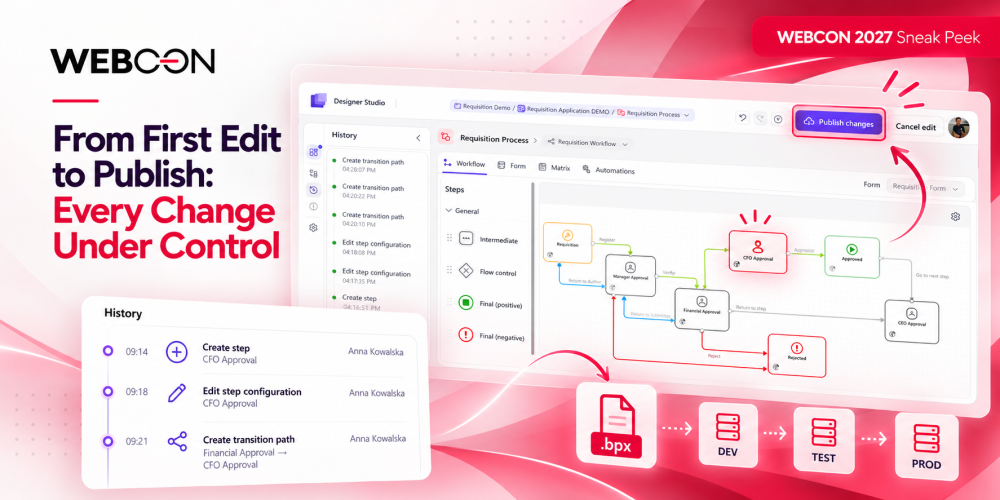
Time to put the new rule into action. Open the Requisition Workflow, add a CFO Approval step, and adjust the paths to fit the new approval flow. No need to interrupt anyone's work – your edits stay in a separate editing session while users continue with the published version. Want to see what's still in progress? Blue dots in the application tree show you exactly which elements have unpublished changes.
See what changed. Stay in control.
Every change leaves a trace. Open History to see a timestamped record of your actions, from adding steps to adjusting their configuration and connecting paths. Changed your mind along the way? Undo and Redo let you move back and forth through individual edits. And if you decide to start over, Cancel edit takes you straight back to the last published configuration. Before moving on, take a quick look at Configuration errors to make sure nothing needs fixing.
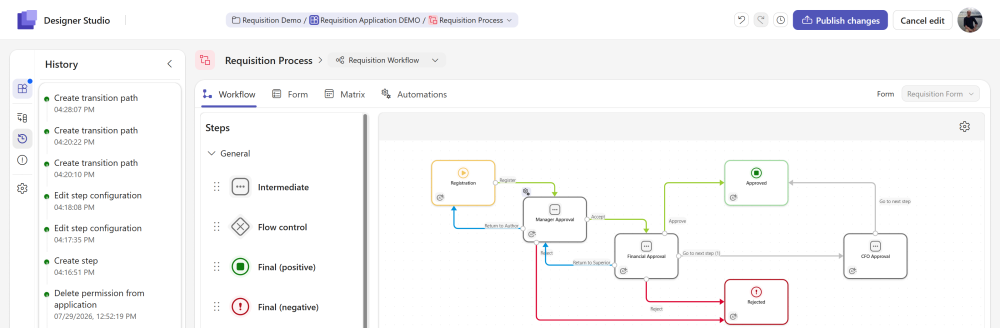
The new CFO Approval step and its change history.
Publish only when it is ready.
Everything looks good? Hit Publish changes, and your entire editing session becomes the new published configuration in the current environment. All changes are applied together, so there's no risk of exposing a partially updated workflow. One deliberate action, and your new approval flow is ready to use.
Move confidently from DEV to TEST to PROD.
Your changes are published in DEV. Now it’s time to bring them to TEST and, once verified, to PROD. Export the application as a .bpx package and let the guided import wizard walk you through the process. Only published configuration makes the trip – if you have unfinished edits, Designer Studio lets you know what will be left behind. And there’s no need to worry about duplicates: elements are matched by GUID, so subsequent imports update what’s already there. Planning regular releases? You can take it a step further and automate imports through the public API, making deployment part of your existing pipeline.
The result? The business gets the approval change it needs without disrupting day-to-day work, while you stay in control of what goes live and when. That’s change management the way it should be: visible, predictable, and on your terms.

+48 12 443 13 90