
One Workflow, Two Designers: Collaboration Without the Guesswork
One Workflow, Two Designers: Collaboration Without the Guesswork
Last time, we explored how Designer Studio keeps every change under control. But what happens when two designers work on the same workflow at once? With the new web-based Designer Studio, collaboration doesn't have to mean taking turns.
Same workflow. Different priorities.
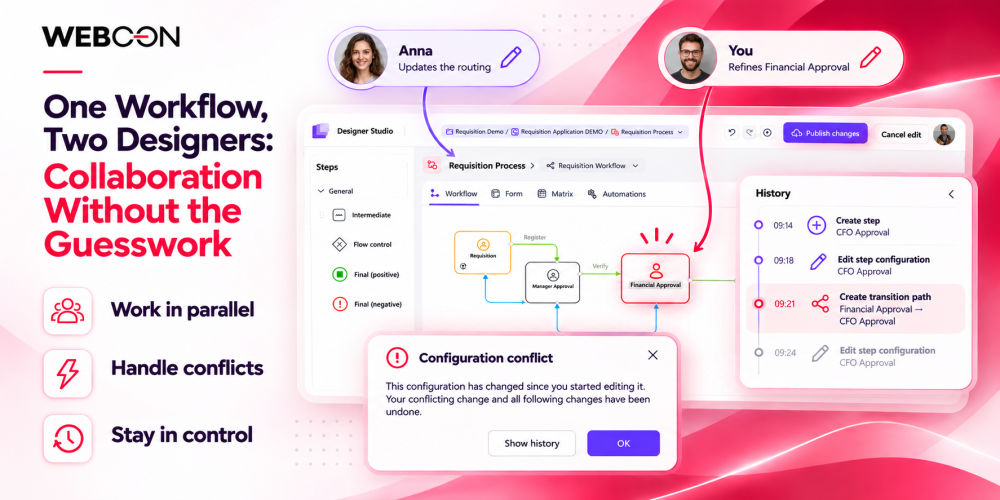
Anna is updating the Requisition Workflow, configuring a Flow control step to route requests based on their value. Meanwhile, you're refining Financial Approval: tightening form field restrictions, renaming the step, and adjusting its outgoing path.
You both work in separate editing sessions. No process checkouts, no waiting for someone else to finish.
When changes collide
Anna finishes first and clicks Publish changes. Her routing updates become the new published configuration, while your session continues uninterrupted. But there's a catch: Anna also modified Financial Approval, the very step you've been editing.
Instead of silently overwriting her work, Designer Studio detects the overlap and displays a Configuration conflict window. It automatically rolls back your conflicting change and everything that followed it, while preserving the edits you made before the conflict. The published workflow stays consistent.
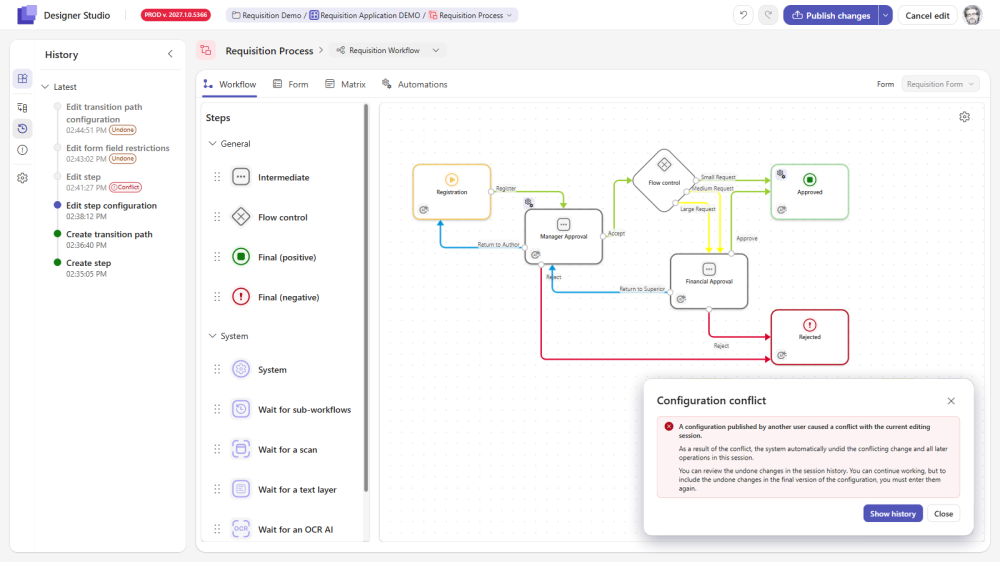
Configuration conflict in Designer Studio: the History panel highlights the conflicting change and shows which subsequent edits were rolled back.
See the conflict. Resolve it. Move on.
Click Show history to see exactly what happened. The conflicting change is highlighted in red, while rolled-back edits appear in gray. Those changes can't be restored with Redo, but the History provides a clear record of what needs to be reapplied on top of Anna's published version. Make the necessary adjustments, check Configuration errors, and publish. Both sets of updates can now move forward together.
Better teamwork, built in.
Two designers. One workflow. No accidental overwrites or unnecessary handoffs. With independent editing sessions, automatic conflict detection, and transparent change history, the new Designer Studio makes teamwork faster, safer, and easier to manage.
Build in parallel. Resolve with confidence.

+48 12 443 13 90