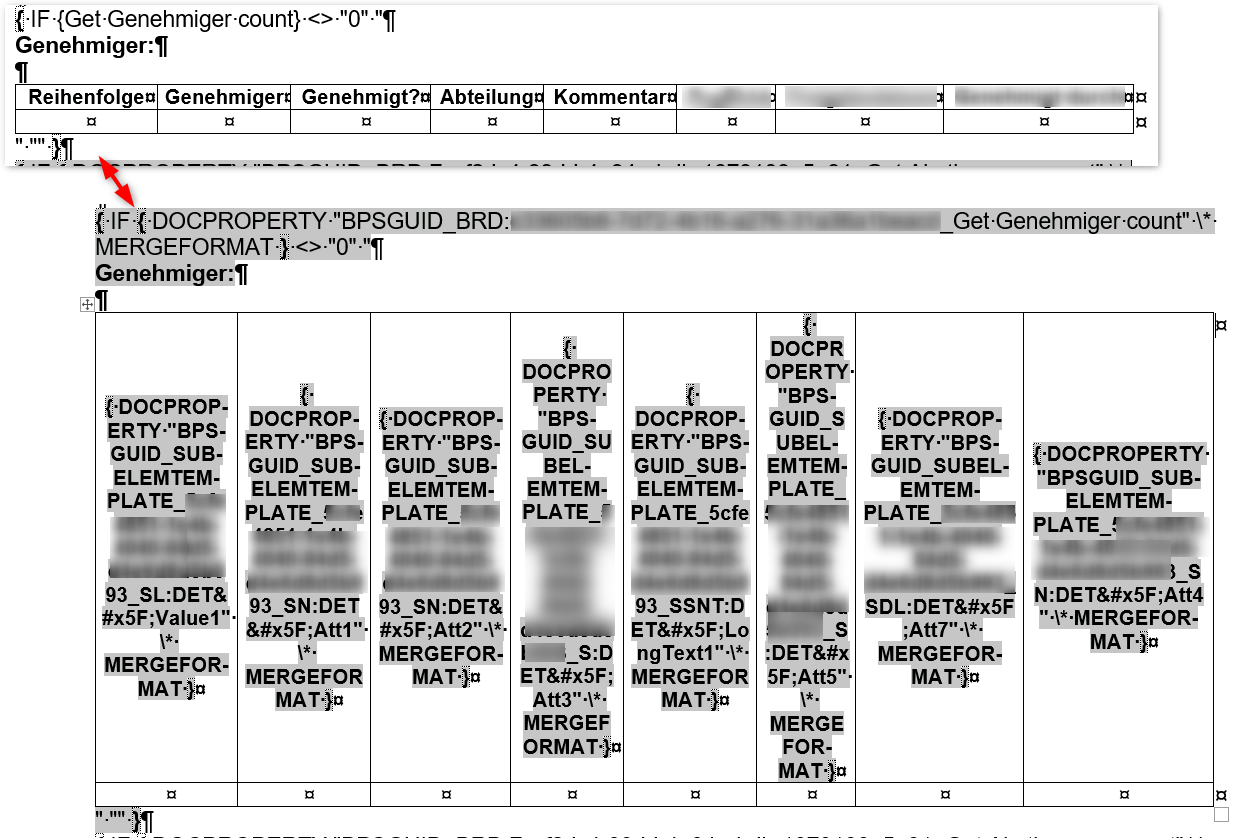
Is there any way to use logic in a docx template? For example, conditional logic—displaying a paragraph (or table, or simple word/phrase) depending on the value of a field?
Hi Arek,
You can handle conditional logic in .docx templates using these two methods:
Business Rules with SQL logic: This is the easiest way to display conditional phrases or paragraphs. Create a Business Rule (SQL type) that returns either the desired text or an empty string ('') based on your criteria.
Then, just place the rule’s tag in your Word template where you want the text to appear.
Dynamic Template Selection: If the documents differ significantly (e.g., a different contract for individuals vs. companies), it's better to prepare separate .docx templates. In the configuration of the "Generate/Update Word file" action, you can use a Business Rule to dynamically return the ID of the template the system should use.
Useful links:
https://community.webcon.com/community/public/posts/post/generating-docx-files/59/4
https://kb.webcon.pl/akcja-generowania-dokumentow-docx-w-bps/
Hi Arek,
You can handle conditional logic in .docx templates using these two methods:
Business Rules with SQL logic: This is the easiest way to display conditional phrases or paragraphs. Create a Business Rule (SQL type) that returns either the desired text or an empty string ('') based on your criteria.
Then, just place the rule’s tag in your Word template where you want the text to appear.
Dynamic Template Selection: If the documents differ significantly (e.g., a different contract for individuals vs. companies), it's better to prepare separate .docx templates. In the configuration of the "Generate/Update Word file" action, you can use a Business Rule to dynamically return the ID of the template the system should use.
Useful links:
https://community.webcon.com/community/public/posts/post/generating-docx-files/59/4
https://kb.webcon.pl/akcja-generowania-dokumentow-docx-w-bps/
Thank you. I understand there's no way to do this directly in the template. But there are a few workarounds we can use.
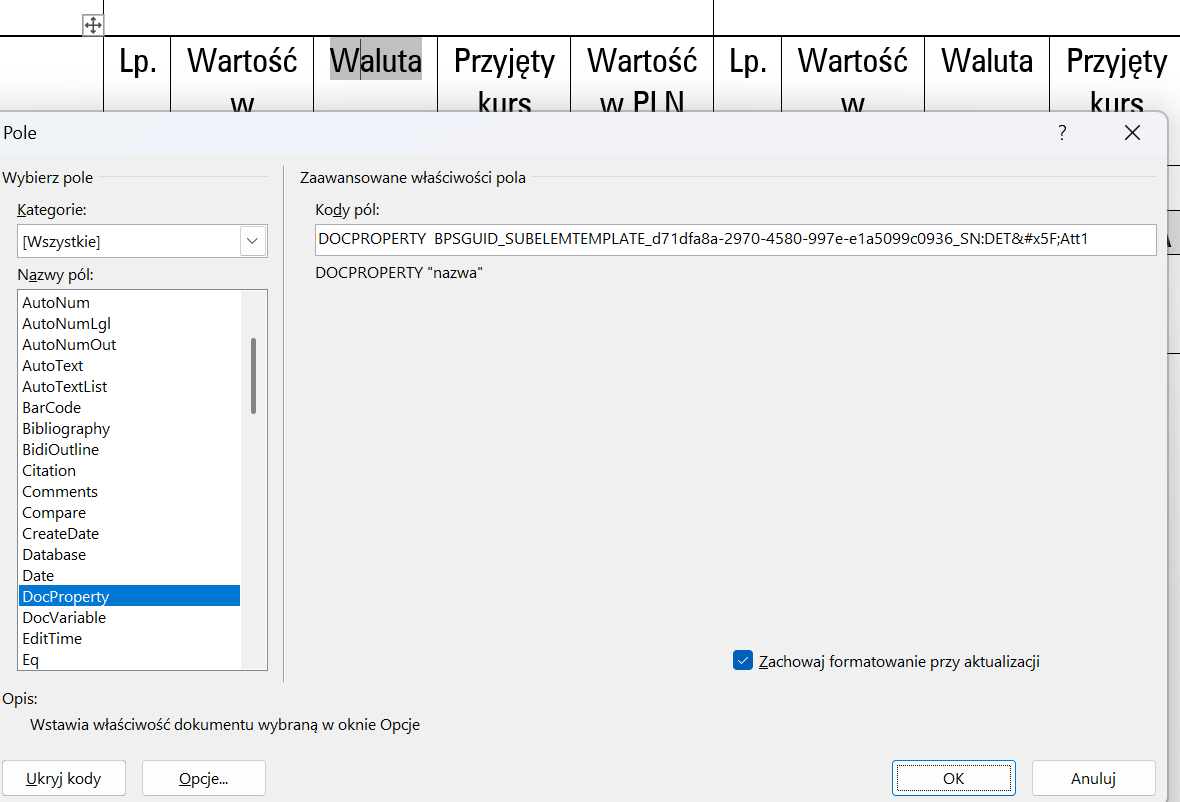
By the way, do you know how to edit the settings of an inserted list of elements? When adding the list of elements options in the dialog box, we can select columns, order, etc. After clicking OK, a table appears in the document. Is there a way to edit the settings of such a table? For example, changing the order of columns, adding a column?
Thank you. I understand there's no way to do this directly in the template. But there are a few workarounds we can use.
By the way, do you know how to edit the settings of an inserted list of elements? When adding the list of elements options in the dialog box, we can select columns, order, etc. After clicking OK, a table appears in the document. Is there a way to edit the settings of such a table? For example, changing the order of columns, adding a column?

Unfortunately, I haven't found a sensible way to edit those fields directly once the table has been generated.
Whenever I need to make a changes, like adding a new column or renaming things I usually find it’s much faster to just delete the old table and insert a new one with the correct settings.
Technically, you can try selecting a column header as an individual element and editing it that way, but it’s not very user-friendly and often ends up being more trouble than it's worth.
Unfortunately, I haven't found a sensible way to edit those fields directly once the table has been generated.
Whenever I need to make a changes, like adding a new column or renaming things I usually find it’s much faster to just delete the old table and insert a new one with the correct settings.
Technically, you can try selecting a column header as an individual element and editing it that way, but it’s not very user-friendly and often ends up being more trouble than it's worth.
Thank you. I do the same, but as you mentioned, it's not user-friendly :)
This is definitely something that could be improved. Adding logic to the templates would also be helpful.
It would really be great if WEBCON would provide an advanced Word action and it's on my wish list for a long time. :)
User voice: Advanced Word generation using Aspose Template syntax
https://community.webcon.com/forum/thread/3697?messageid=3697
There's also an example article
[external] Creating documents by using Aspose Template Syntax
https://community.webcon.com/posts/post/creating-documents-by-using-aspose-template-syntax/439/8
But you have to purchase an own Aspose license. It may still be worth it.
Aspose license
https://community.webcon.com/forum/thread/8519
Best regrads,
Daniel