
The New Designer Studio, Built Around How You Work. A first Look at the New Interface
The New Designer Studio, Built Around How You Work: A First Look at the New Interface
Great application design starts with an environment that helps you stay focused on what you are building. That is the idea behind the new Designer Studio — an experience being redesigned around the way application developers work every day.
The new interface is intended to reduce the time spent navigating the environment, make relevant tools easier to access, and provide a clearer path from an idea to a configured application.
The goal is simple: give you a workspace that fits the way you work.
A new starting point
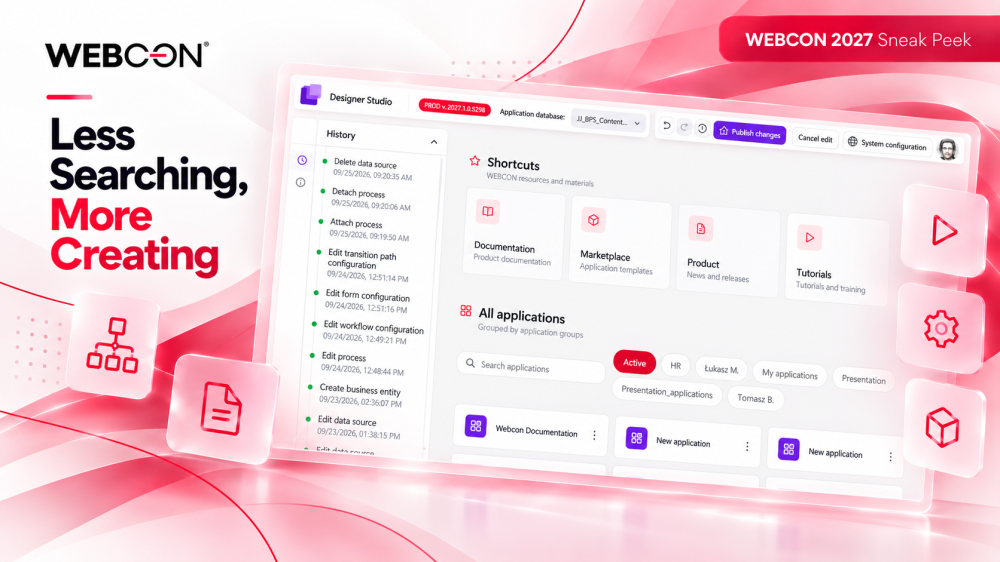
The redesigned start page will act as a navigation hub for Designer Studio.
From one place, developers will be able to access their applications, personal shortcuts, and important resources from the WEBCON ecosystem, including documentation, tutorials, and application templates.
Search, application grouping, and shortcuts will help users reach frequently used applications and resources more quickly, giving Designer Studio a clear starting point before configuration begins.
Everything in the right place
Once inside an application, the new interface will provide a consistent workspace across different areas of application design.
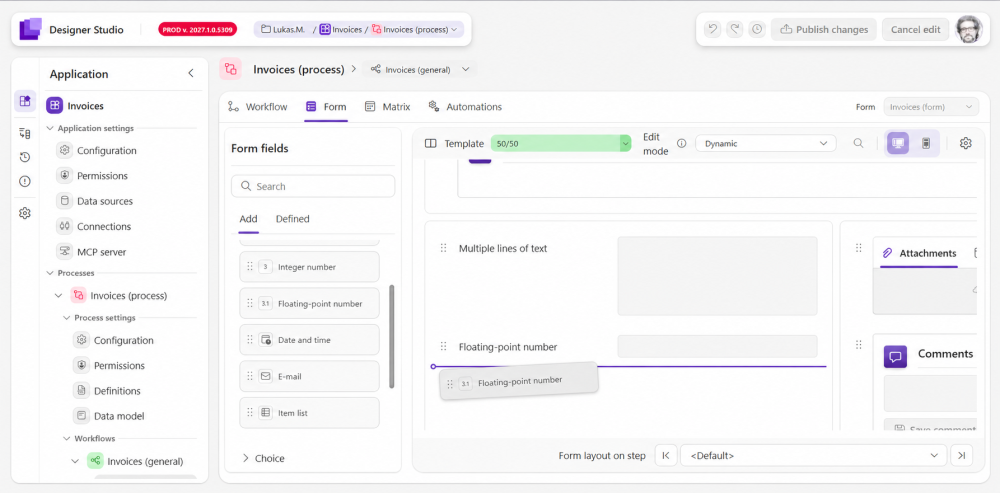
The layout will follow a familiar pattern used by modern design and development tools: tools and navigation on the left, the main workspace in the center, and contextual configuration on the right.
The central canvas will remain the main area of attention, while the surrounding panels will surface tools and settings relevant to the element currently being edited. Combined with a compact layout and clear information hierarchy, this structure is designed to make better use of screen space and help developers move between workflows, forms, fields, rules, automations, and configuration without losing context.
The interface is also being designed to feel approachable for both experienced WEBCON developers and people who are just getting started.
See your application take shape
Visual development will play a bigger role in the new experience.
The form designer is being developed around a drag-and-drop, WYSIWYG approach, allowing designers to see how a form will look while they are building it.
Together with visual workflow editing and other graphical configuration tools, this should make application structure easier to understand and configuration more direct.
Built for everyday development
The new Designer Studio will also introduce features focused on everyday ergonomics and flexibility.
Dark Mode will provide an alternative for longer working sessions, while multi-window support is intended to make better use of multi-monitor setups and give developers more freedom in arranging their workspace.
The editing experience is also being designed around a clear editing session, with dedicated actions for undoing changes, publishing them, or canceling an edit. This will provide a more structured path from work in progress to a published application.
Designed to keep you in the flow
The new Designer Studio is being built to make application development feel more direct and focused.
By bringing navigation, visual design, configuration, and everyday productivity features into a more consistent experience, it aims to help developers spend less time finding their way around the environment and more time building applications.

+48 12 443 13 90