Home > Forum > Plugins > Handwritten Signature WORD-plugin

Handwritten Signature WORD-plugin
0

I have the issue that I selected and added a handwritten signature in a document template.
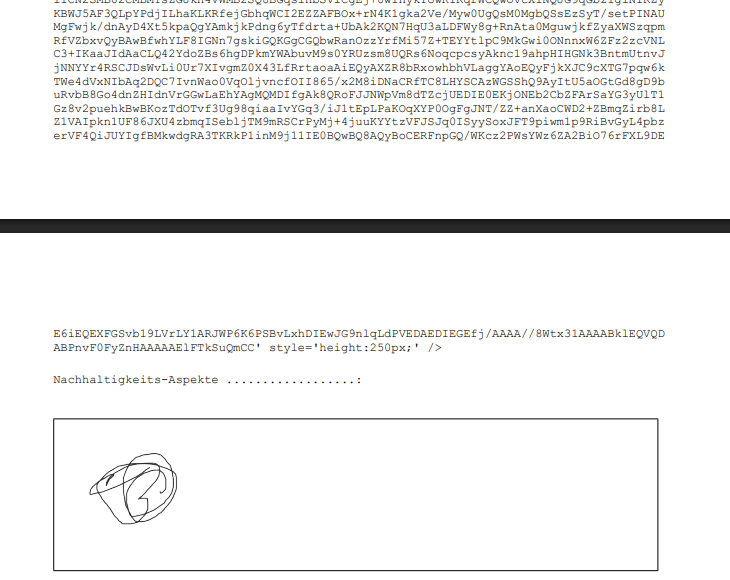
But he saves me the HTML-Code and the picture. How can I remove the HTML-code or prevent it from being generated because it is 3-Sites of autogenerated data-tag.

I only added the field in general from the webcon plugin. Webcon Version is the newest one!

Hi Phil,

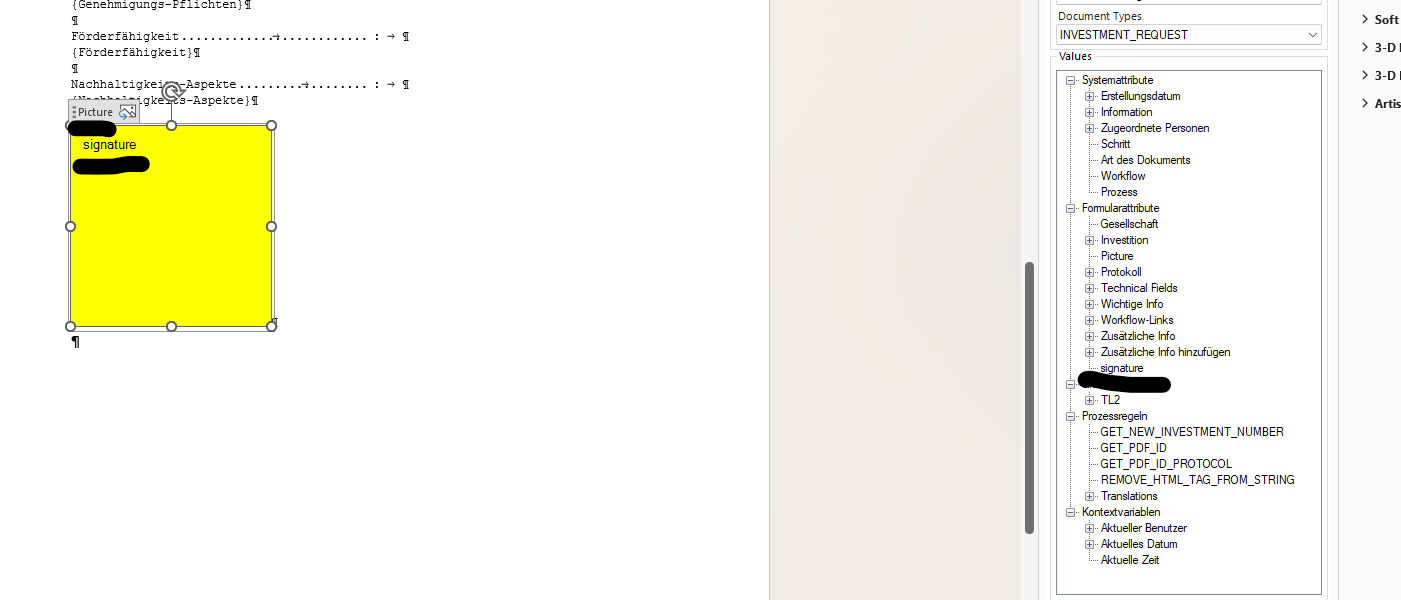
To display the signature instead of the raw code, the field must be mapped to a Picture Content Control in Word.
Here is how it works for me:

1. Enable the Developer tab in Word (if it's hidden)
Go to File -> Options -> Customize Ribbon.
In the list of Main Tabs on the right side, check the Developer checkbox and save the changes.

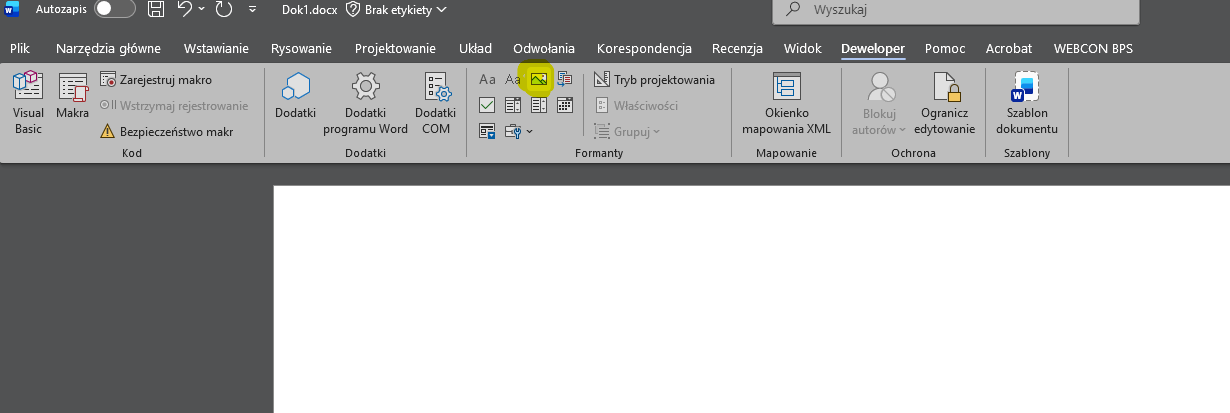
2. Insert a Picture Content Control:
Place your cursor in the document where you want the signature to appear.
Go to the Developer tab.
In the "Controls" section, click the Picture Content Control icon (a small icon depicting a landscape). A blank picture frame will appear in the document.

3. Bind the Webcon field to the picture control:
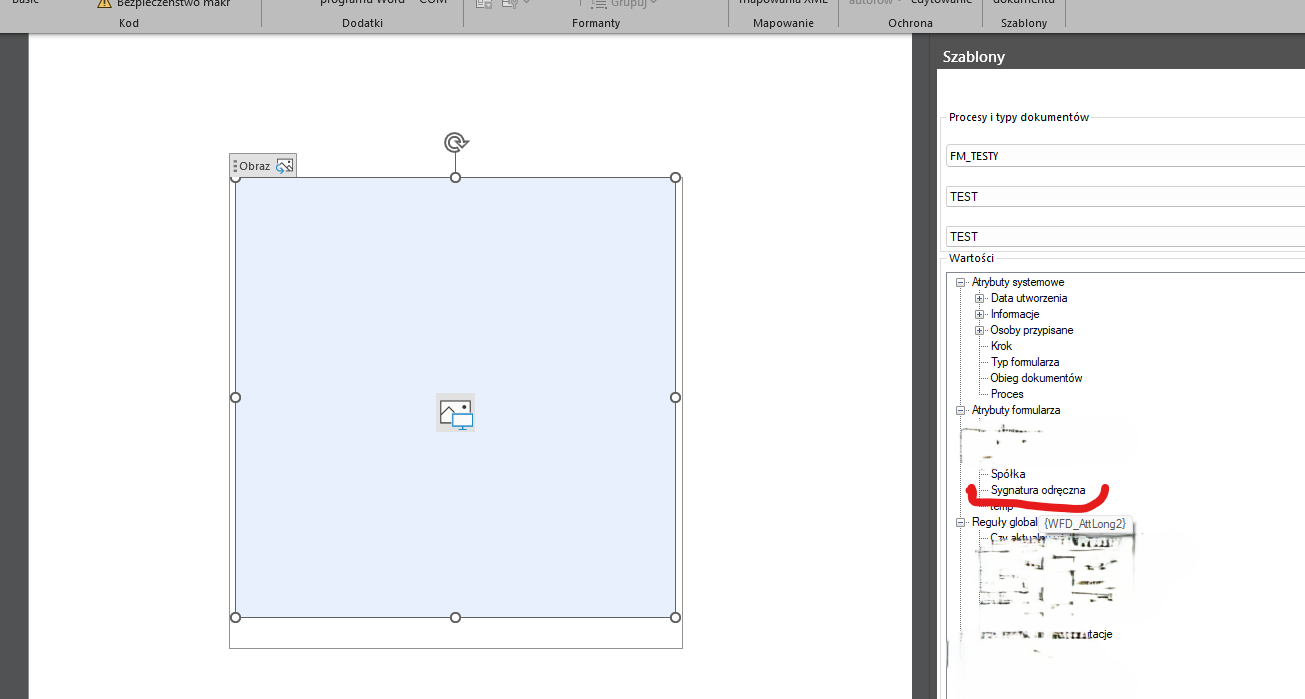
Select the newly inserted picture control in the document (simply click on it).
In the WEBCON BPS plugin side panel, locate the appropriate "Handwritten signature" field.
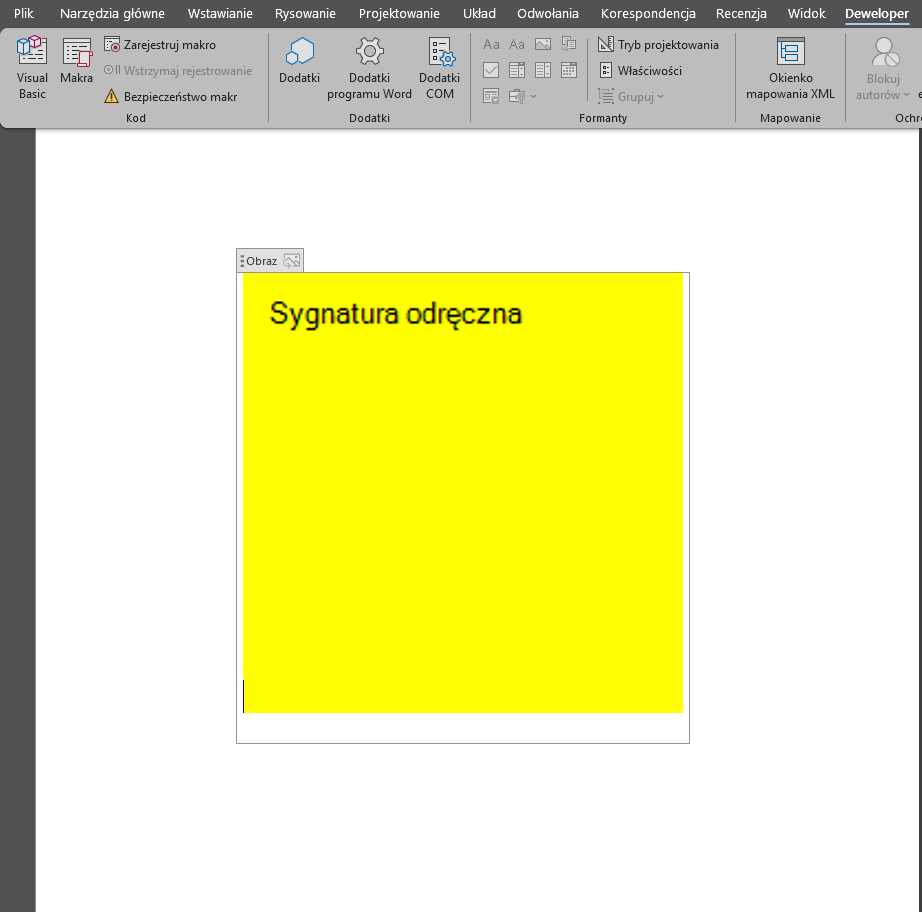
With the control active (selected) in Word, add the field from the Webcon panel (usually, it is enough to double-click it or select the mapping option).


In reply to: Phil

Hmmm i just tried it , did not seem to work did I do something wrong? Can I check if the pciture is bound?

If it didn't work, the most common couse is invisible leftover tags. Here is what you should try:

Clear the entire area (watch out for invisible elements). Sometimes, when you delete a previously inserted Webcon element, invisible formatting or partial tags remain "underneath" and break the document structure, even if the space looks completely empty. Delete the entire thing where the old code was and then insert the Picture Content Control again.

Make sure the new Picture Content Control is actively clicked/highlighted at the exact moment you double-click the "Handwritten signature" field in the WEBCON panel, but i see that you have that. You can check the second picture to see exactly how it should be selected.