
[EXTERNAL] Multiple Windows shortcuts to Designer Studio
External content by Sébastien Anselment, March, 2026
To be able to have multiple windows of Designer Studio open for different Studio versions or environments you can use the following values for a Windows shortcut.
The full installer of WEBCON BPS installs the Designer Studio under C:Program Files. The values for the shortcut to the full version of Designer Studio are:
-
Target: 'C:Program FilesWEBCONWEBCON BPS Designer StudioWEBCON Designer Studio.exe' -protocol "webcon://https:/XXXXXX/¶meters=" _develop
- Start in: "C:Program FilesWEBCONWEBCON BPS Designer Studio"
The Designer Studio downloaded through the portal gets installed in the user profile. Using the placeholder %LocalAppdata% has the advantage of not having the username hardcoded in the shortcut. The attributes for the shortcut are:
- Target: "%LocalAppdata%DesignerStudioWEBCON Designer Studio.exe" -protocol "webcon://https://XXXXXX/¶meters=" _develop
- Start in: "%LocalAppdata%DesignerStudio"
Just substitute the XXXXXX with your portal's address and copy this in the path field in the properties of your shortcut. Don't forget the quotes if there is any space in the path.
If you want to install multiple versions of the Designer Studio, just rename the folder in your LocalAppdata folder before a new install. Then turn the path to the corresponding version for each shortcut. E.g.:
"%LocalAppdata%DesignerStudio/2026.1.2.91/WEBCON Designer Studio.exe" -protocol "webcon://https://XXXXXX/¶meters=" _develop
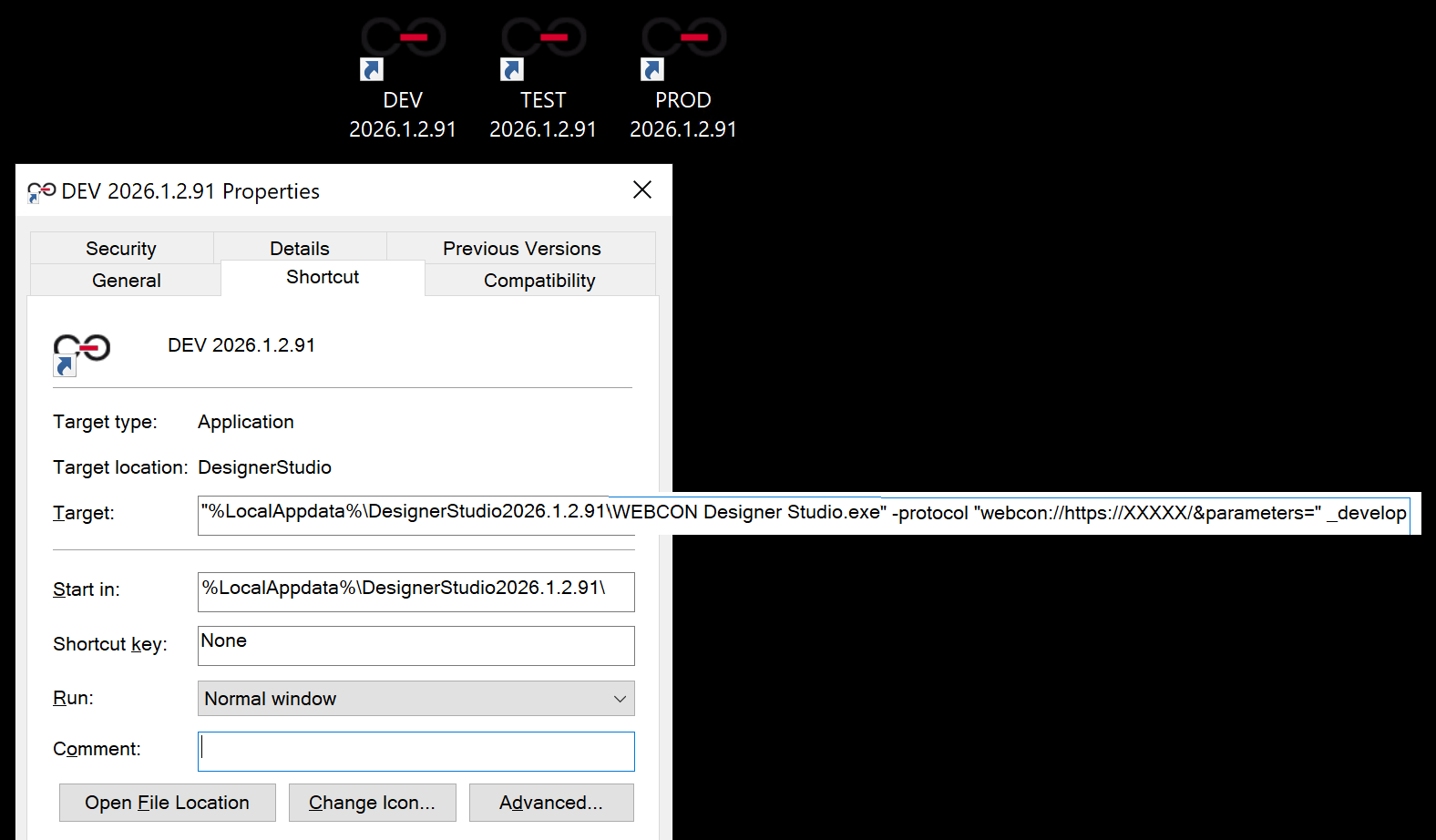
Credits to Daniel for most of this information in his blogpost: https://daniels-notes.de/posts/2022/open-designer-studio-in-a-specifc-version

+48 12 443 13 90