Home > Forum > Forms > Menu buttons for a specific workflow instance

Menu buttons for a specific workflow instance
0

Hi all,

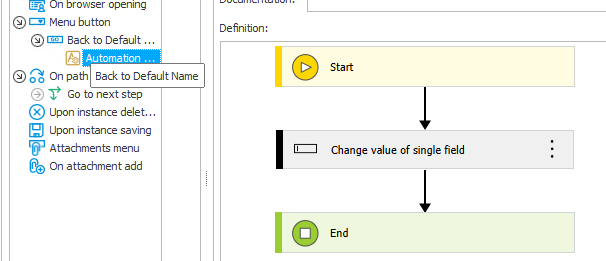
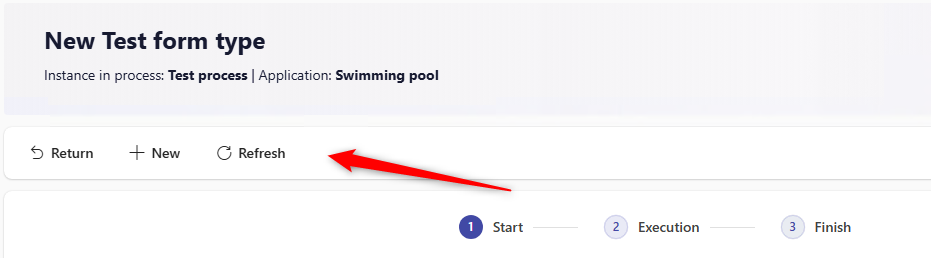
I am trying to add a button on the Start step of my Test process and I expect to see it directly on the start form (see image 1).

The button configuration is very simple – it only resets a single text field to its default value (see image 2).

I noticed that when I configure the same button as a global button, it appears only after the process is submitted.
However, I would like to have this button visible and usable already on the Start step, before submitting the instance.

Could you please advise what I am missing or which setting controls the visibility of such buttons on the start form?

Thank you in advance,
Best regards,
Androsh
MVP

Hi Androsh,

this is a technical limitation of WEBCON.

Most of the available actions are executed on server side level and will require that the instance has already been saved to WEBCON. In addition, these are very likely to be available in edit mode only.

There are a few exception when a menu button is also visible in View mode:
https://docs.webcon.com/docs/2026R1/Studio/Workflow/Step/Actions/Action_Button/#menu-buttons
for a menu button to be visible in the View mode (i.e. when viewing the form without having the instance checked out), the following actions must be defined as the only ones under their specific button:
– Hyperlink (the Automatic save checkbox must be selected),
– Generate/Update a Word file (the Save as an attachment checkbox must be unchecked),
– Generate a PDF file (the Add as attachment checkbox must be unchecked),
– Printout a barcode label,
– Generate an HTML printout.

But these also require, that no other action, which requires saving the workflow instance, is part of the instance.

Best regards,
Daniel

In reply to: Daniel Krüger (DCCS)

Hi Androsh,

this is a technical limitation of WEBCON.

Most of the available actions are executed on server side level and will require that the instance has already been saved to WEBCON. In addition, these are very likely to be available in edit mode only.

There are a few exception when a menu button is also visible in View mode:
https://docs.webcon.com/docs/2026R1/Studio/Workflow/Step/Actions/Action_Button/#menu-buttons
for a menu button to be visible in the View mode (i.e. when viewing the form without having the instance checked out), the following actions must be defined as the only ones under their specific button:
– Hyperlink (the Automatic save checkbox must be selected),
– Generate/Update a Word file (the Save as an attachment checkbox must be unchecked),
– Generate a PDF file (the Add as attachment checkbox must be unchecked),
– Printout a barcode label,
– Generate an HTML printout.

But these also require, that no other action, which requires saving the workflow instance, is part of the instance.

Best regards,
Daniel

Hi Daniel,

I tested the suggestion from the documentation regarding exceptions where a menu button can be visible in View mode:

https://docs.webcon.com/docs/2026R1/Studio/Workflow/Step/Actions/Action_Button/#menu-buttons

According to the article, a menu button should be visible in View mode if it contains only one of the following actions:

– Hyperlink (with Automatic save enabled) by the way inside article on Hyperlink: https://docs.webcon.com/docs/2026R1/Studio/Action/Form/Action_Hyperlink ,
0
It says that 'Automatic save' -> " The option is grayed out if the action is called from the Menu button."

– Generate/Update a Word file (Save as attachment unchecked)
– Generate a PDF file (Add as attachment unchecked)
– Printout a barcode label
– Generate an HTML printout

Unfortunately, I tested all of the above cases and the menu button is still not visible in View mode in any of them.

Based on these results, I agree with your conclusion that this is a system limitation when it comes to using fields and menu buttons on the start step / new process form.

Best regards,

Androsh