23.03.2026
 10:49
10:49
Hi,
I've suffixed processes that contain a workflow with a cyclical on start global action with " [JOB]". To get an overview of all process planed as a job I've created a dictionary report in a dashboard and want to filter the column "Process Name" with a default filter.
Now I have 3 different behaviors:
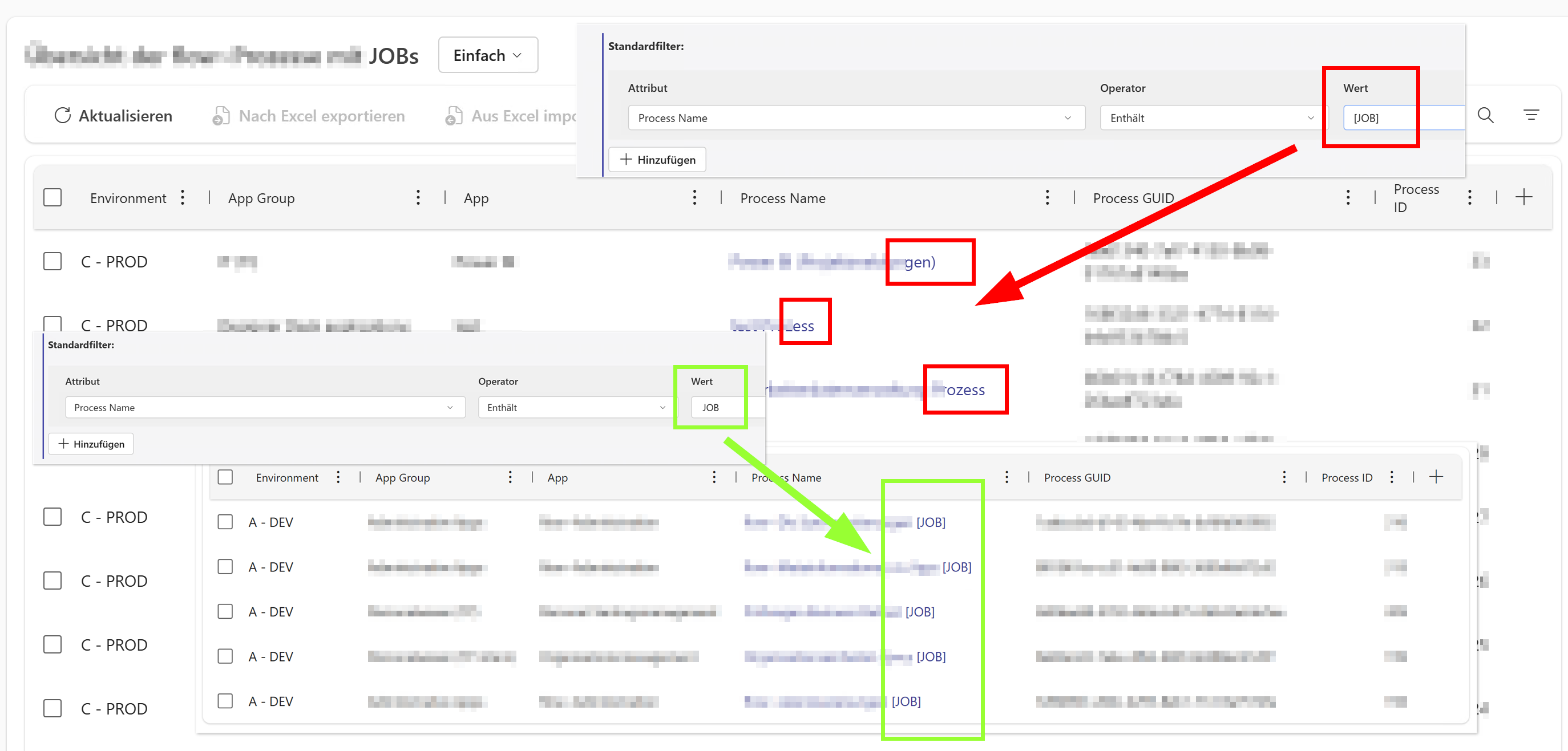
- Using "[JOB]" returns all processes in the list without any filtering > This seems to be a bug imho. (screenshot)
- Using "JOB" returns only the expected processes containing JOB > This works fine for the filter but the list could also contain processes that don't contain [JOB] with brackets. (screenshot)
- Using " JOB" (with trailing" space returns an empty list > This seems to be a bug imho. (not in the screenshot)
I didn't test this behavior in BPS internal views and the "old" reports yet. Used version is 2025.2.1.179.
Kind regards
Sébastien
PS: A new Thread Categoy "Portal" or "Dashboards" would be nice.