26.03.2026
 07:00
07:00
Hi,
I have a MSSQL data source with a column newHash that get's created by HASHBYTES and VARCHAR(64) in the SQL query of the data source over some other columns to check if there is a value updated. This hash gets stored in the dictionary entry together with all other values. In the same query I also add the column with the diHash of the associated dictionary entry.
When doing a daily sync between data source and dictionary I'd like to compare both columns newHash and diHash. This is used in the filter of the for each using this MSSQL data source.
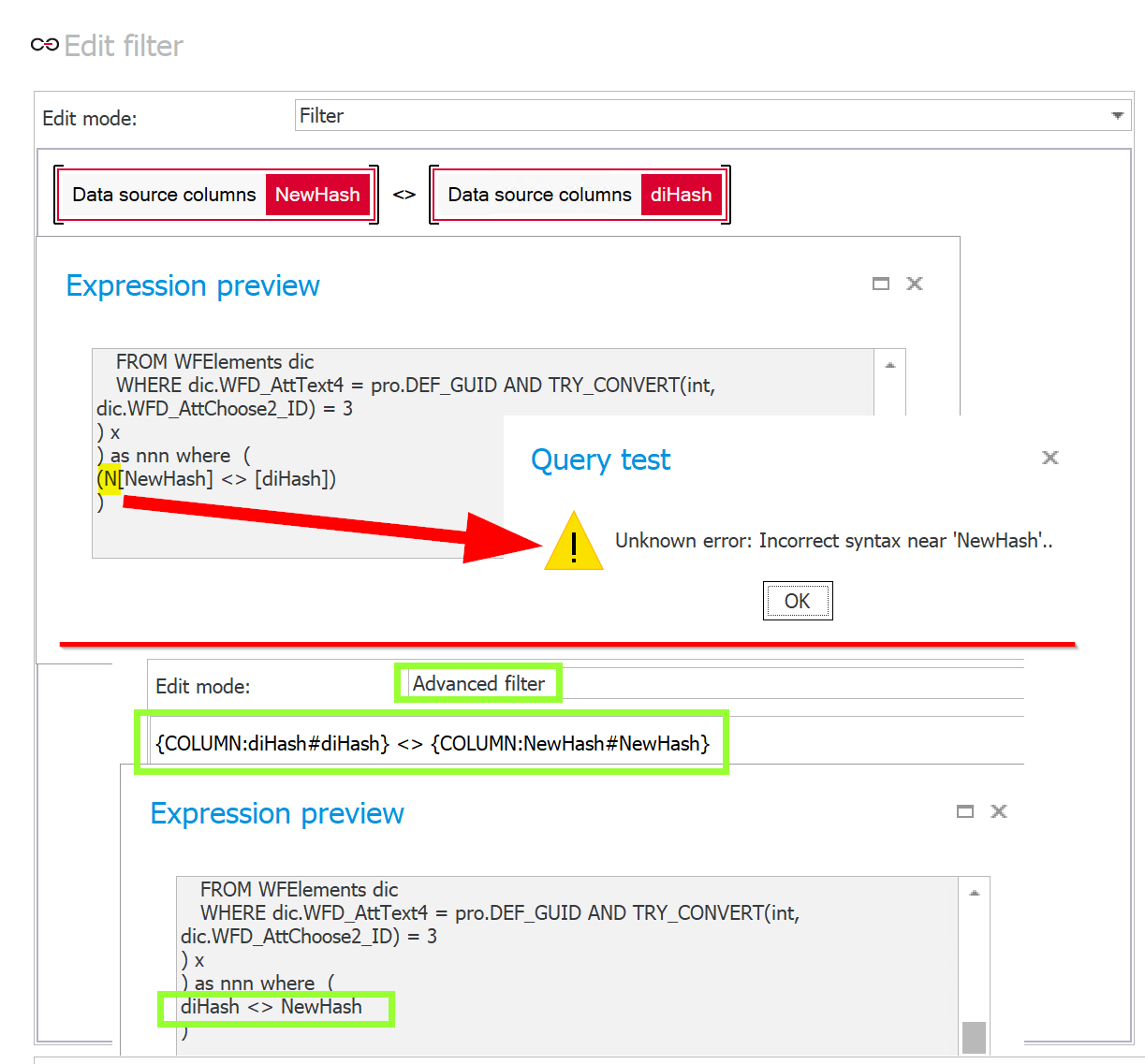
In the normal editor using [Data source columns | newHash] <> [Data source columns | diHash] leads to the SQL code (N[newHash] <> [diHash]). The "N" causes the error "Incorrect syntax near 'newHash'".
When using the advanced filter the generated SQL code is diHash <> newHash and the query runs fine.
May it be possible to get the same behavior in the standard filter editor as well?
Kind regards
Sébastien
PS: This is the SQL code that generates the new hash if anybody would like to use this too:
CONVERT(VARCHAR(64), HASHBYTES('SHA2_256',
CONCAT(
ISNULL(DEF_Name, ''),
ISNULL(DEF_Acronym, ''),
ISNULL(DEF_Description, ''),
ISNULL(DEF_Supervisor, ''),
ISNULL(DEF_TSUpdate, ''),
ISNULL(app.APP_GUID, ''),
ISNULL(agr.AGR_GUID, '')
)
), 2) AS NewHash