18.05.2026
 12:46
12:46
Hi everyone,
I am experiencing an issue with the "Merge attachments into a Word/PDF file" action.
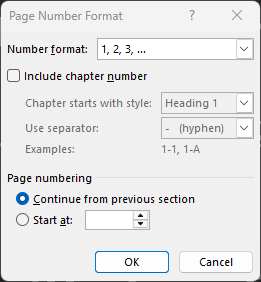
When I use this action to merge multiple Word documents (.docx) into a single file, the page numbering in the resulting document is generated incorrectly.
As a result, the final document does not have a continuous page sequence (for example, the page numbering restarts from 1 at the beginning of each merged section).
I need the final, merged document to have consecutive, continuous page numbering from start to finish.
Has anyone else encountered this issue? If so, did you find a workaround or a specific configuration in Word/Webcon to fix this?
I would appreciate any help or advice on how to resolve this.
Best regards,
Daniel