Hello,
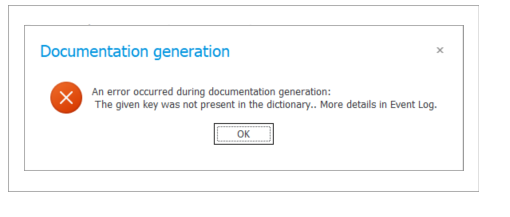
I'm trying to generate documentation, but I get the following error:
"The given key was not present in the dictionary. More details in Event Log."
How can I resolve this issue?
Thank you!
Hello,
I'm trying to generate documentation, but I get the following error:
"The given key was not present in the dictionary. More details in Event Log."
How can I resolve this issue?
Thank you!
Hello,
Please check the configuration of the Generate/Update Word file action, especially the document template reference and any dynamically selected values. The error may indicate that the configuration contains a reference to an element that no longer exists or is unavailable.
If the configuration looks correct, please share the full stack trace from the Event Log, as the displayed message does not provide enough details to identify the missing reference.
Where can I find the Event Log?
You can find the Event Log in Designer Studio under Administration Tools. Look for the error generated at the same time as the documentation attempt and share its details or stack trace. If an error GUID is available, you can also use the Log search by GUID option to find the full log.
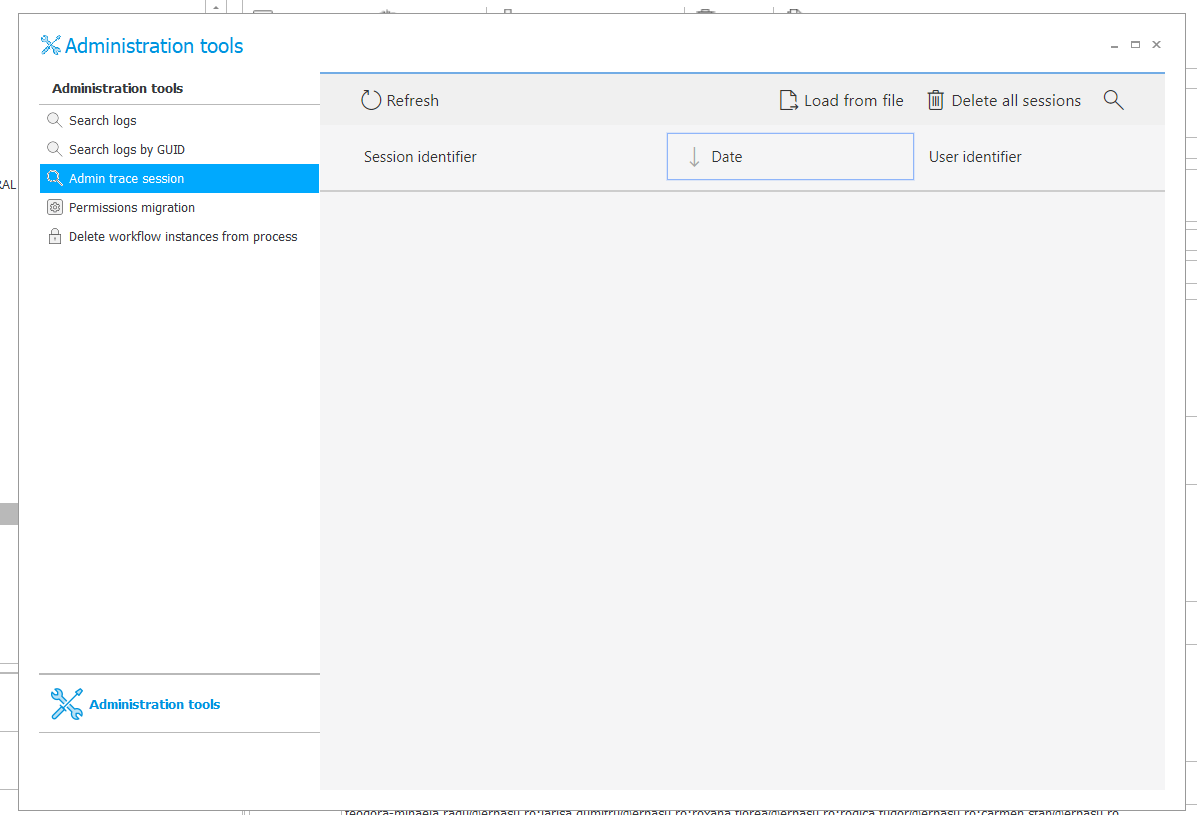
I checked Administration Tools, but I can't see any Event Log entries. Please see the attached screenshot. We have the Version 2023.1.2.68.
The screenshot shows the Admin trace session section, so it is normal that the list is empty if no diagnostic session was started earlier. Search logs by GUID will only be useful if you have the error GUID.
Could you share a screenshot of the Generate/Update Word file action configuration? Please check the selected template and all dynamic values, as one of them may refer to a field, template, attachment category, or another element that no longer exists.
Please also let us know when exactly the error occurs and whether the same template works in another process. Remember to hide any sensitive information in the screenshot.
If the error appears when using Generate documentation in Designer Studio, rather than when the action is executed, please mention this because these are separate functions.
The screenshot shows the Admin trace session section, so it is normal that the list is empty if no diagnostic session was started earlier. Search logs by GUID will only be useful if you have the error GUID.
Could you share a screenshot of the Generate/Update Word file action configuration? Please check the selected template and all dynamic values, as one of them may refer to a field, template, attachment category, or another element that no longer exists.
Please also let us know when exactly the error occurs and whether the same template works in another process. Remember to hide any sensitive information in the screenshot.
If the error appears when using Generate documentation in Designer Studio, rather than when the action is executed, please mention this because these are separate functions.
The screenshot shows the **Admin Trace Session** section, so it is normal for the list to be empty if no diagnostic session was started beforehand.
Could you please share a screenshot of the **Generate/Update Word file** action configuration? Please check the selected template and all dynamic values, as one of them may be referencing a field, template, attachment category, or another element that no longer exists.
Please also let us know exactly when the error occurs and whether the same template works correctly in another process. Make sure to hide any sensitive information in the screenshot.
If the error occurs while using **Generate Documentation** in Designer Studio, rather than when the action is actually executed, please mention this as well, since these are two separate functions.
The screenshot shows the **Admin Trace Session** section, so it is normal for the list to be empty if no diagnostic session was started beforehand.
Could you please share a screenshot of the **Generate/Update Word file** action configuration? Please check the selected template and all dynamic values, as one of them may be referencing a field, template, attachment category, or another element that no longer exists.
Please also let us know exactly when the error occurs and whether the same template works correctly in another process. Make sure to hide any sensitive information in the screenshot.
If the error occurs while using **Generate Documentation** in Designer Studio, rather than when the action is actually executed, please mention this as well, since these are two separate functions.
Thanks for the update. Since the **Admin Trace Session** list is empty, it likely means no diagnostic session was running at the time, which is expected.
To help troubleshoot the issue, could you please share a screenshot of your **Generate/Update Word File** action configuration? Please include the selected template and all mapped dynamic values, as one of them may be referencing a field, template, attachment category, or another element that no longer exists.
Also, please let us know:
* At what exact step does the error occur?
* Does the same **Generate/Update Word File** template work correctly in another process?
* Does the error happen while using **Generate Documentation** in Designer Studio, or only when the **Generate/Update Word File** action is executed?
Kindly blur or hide any sensitive information before sharing the screenshots.
https://timerclock.io/