
MCP Servers
Applies to version: 2026.1.6 and above; author: Grzegorz Straś
Related documentation
A detailed description of the functionalities mentioned herein and their configuration can be found in the following sections of the WEBCON Help:
Introduction
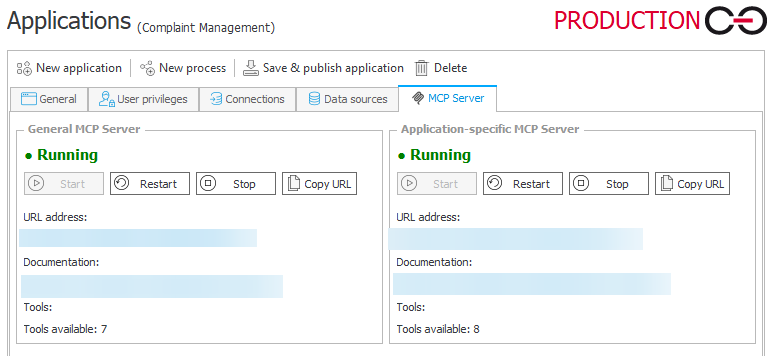
The application configuration now includes the ability to run MCP (Model Context Protocol) servers in two modes: general and application-specific. The general server provides a set of built-in tools that enable access to user data and workflow elements. The application-specific server allows exposing tools based on API Definitions configured within a given application. This makes it possible to reuse existing business logic as operations available to external AI clients, without the need to build additional integrations.
What is MCP and how it works in WEBCON?
Model Context Protocol (MCP) is a standard that enables AI applications to communicate with business systems in a structured way. In WEBCON, it acts as an integration layer that exposes platform capabilities as so-called tools for AI clients.
Key characteristics of this solution is that MCP:
- does not introduce new logic – it reuses existing API Definitions and automations,
- acts as an intermediate layer (wrapper) over REST API,
- allows AI not only to read data but also to perform operations in the system.
Note: MCP servers are available only in the new licensing model introduced in version 2026.1.4. The functionality will not work when using the pre-2026 licensing model (“Scenario 2” described in the licensing article).
General MCP Server
The first MCP server mode provides a set of seven ready-to-use tools available without configuration. This mode is primarily intended for read-only and exploratory scenarios.
- Get current user’s profile – returns data of the currently logged-in user (name, email, ID).
- Get my tasks – retrieves the user’s task list (with filtering and sorting options).
- Get element data – returns details of a specific workflow element (form, form fields, comments, assignments, etc.).
- Get attachment – allows downloading the content of an attachment.
- Get related elements – returns elements related to a given workflow element.
- Search (Get search filters + search execution) – search mechanism including retrieving available filters (metadata) and executing search based on them (in practice treated as a set of related tools).
- Get attachments metadata / details – auxiliary tool for working with attachments (e.g., list/metadata before downloading).
Application-specific MCP Server
This mode is associated with a specific application and is based on API Definitions – each tool corresponds to a specific API Definition.
Both read and write operations are possible (depending on configuration), and the tools reflect the business logic of the application.
Each active API Definition defined within the process can be automatically exposed as an MCP tool:
- the tool name is derived from the API Definition,
- input/output schema is generated automatically,
- API documentation becomes the tool description.
A key architectural aspect is the lack of logic duplication – API Definitions defined once are reused by both REST API and MCP (AI), without creating additional implementations.
Main Assumptions:
- Security and user context – operations are executed in the context of the logged-in user; standard roles and permissions apply; OAuth2 is used.
- Control over scope of operations – the administrator decides which APIs are exposed.
- It is possible to limit access to read-only operations or extend it with actions. MCP does not bypass workflow logic or validation rules.
- In AI scenarios, AI proposes actions, MCP executes them according to defined rules, but the user retains final decision control.
Quick start (for administrators)
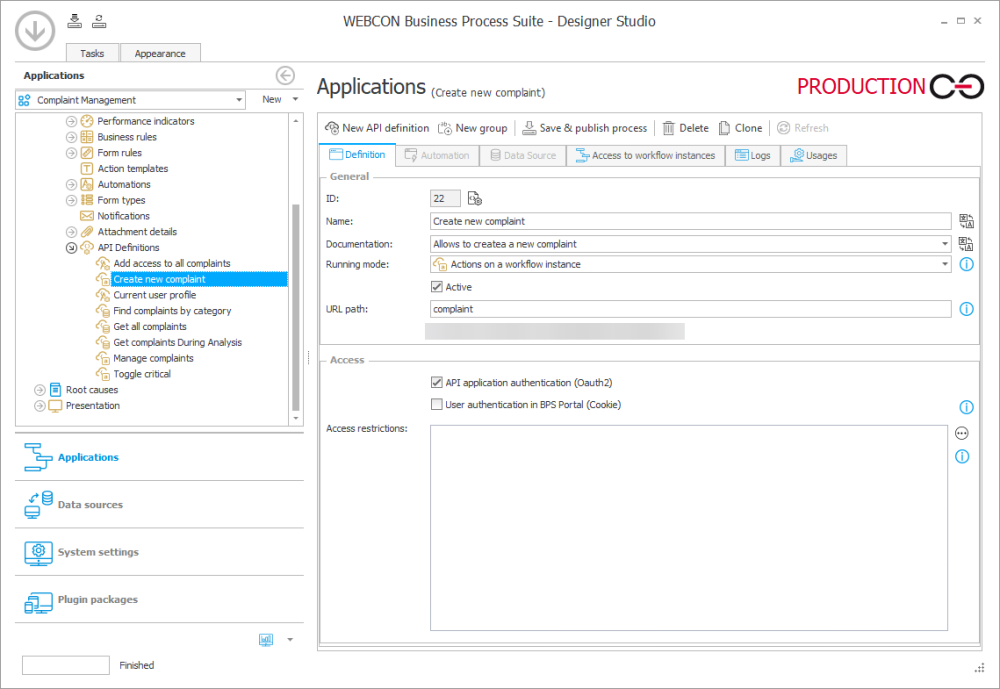
- Prepare API Definitions in the process configuration – they should be active and properly documented.
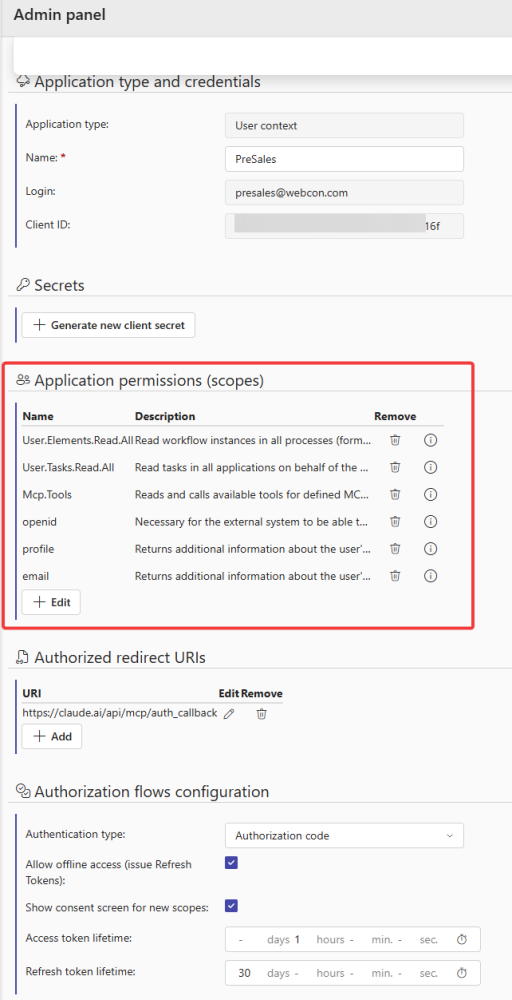
- Configure OAuth2: register an API Application in the Administration Panel, set the type to Authorization Code, and add the MCP client redirect URI (e.g., Claude redirect URI). It is important to configure the 6 scopes shown below.
- Start the MCP server in the application settings. Enable separately: General MCP Server (optional), and Application-specific MCP Server.

- Verify available tools by checking endpoints in the generated documentation: /api/mcp/server/{server_id}/docs
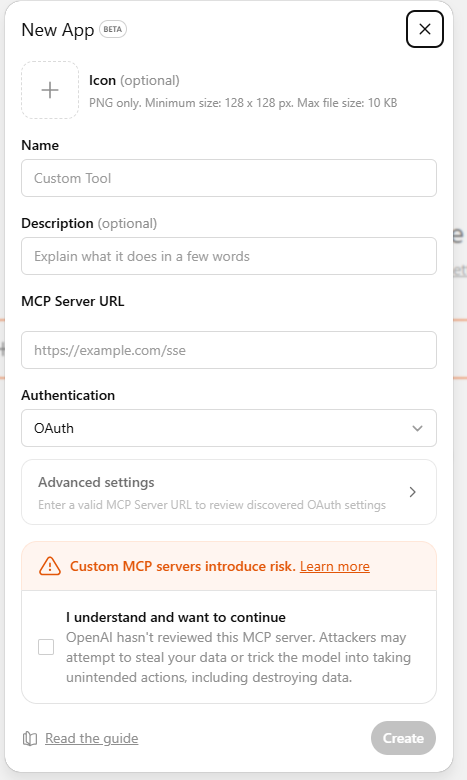
Review the list of tools and their schemas. - Connect an AI client using a connector. Configure the connection in an AI tool (e.g., Copilot, ChatGPT) using the MCP endpoint and OAuth2.
Example: Complaint Management
The workflow below was created to categorize, analyze, and respond appropriately to reported issues.
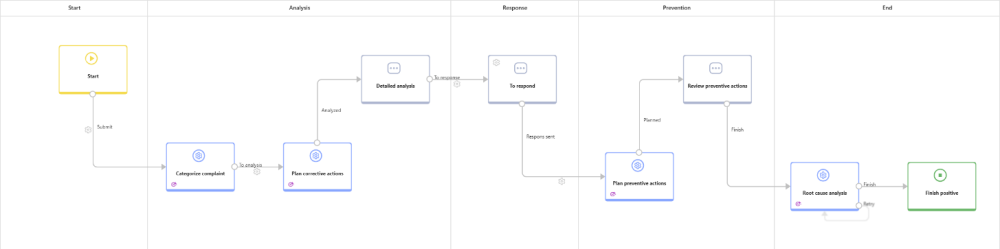
In many organizations, complaint handling processes look similar: submissions enter the system written in very different ways, by different people, and with varying levels of detail. One complaint may be short and precise, another may contain a long, chaotic description, while yet another mixes multiple issues at once. As a result, the team responsible for handling complaints spends a significant portion of time not on resolving issues, but on understanding what the complaint is about, whether it was correctly classified, and what its priority should be.
From the end-user perspective, this process (like any other) is available in the Portal and can be managed via a form.
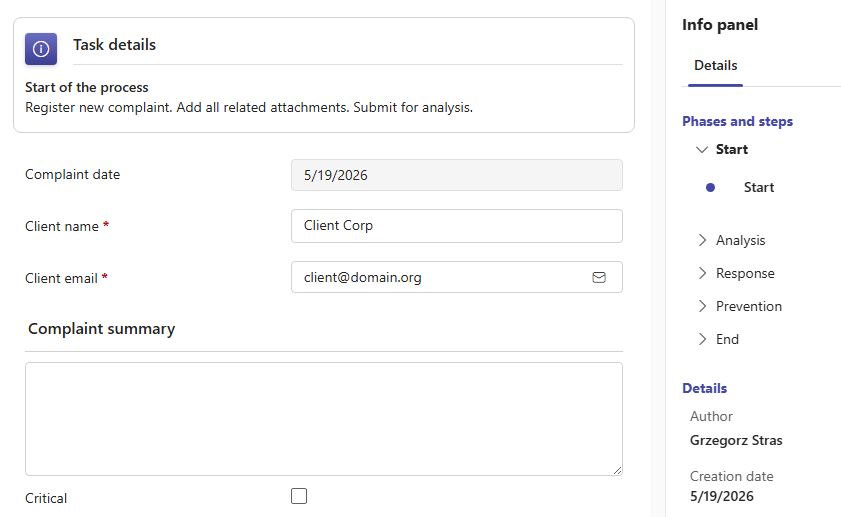
In this scenario, a chatbot integrated with the complaint management application is highly effective. Its role is not limited to conversation, but includes actively supporting the entire process.
To enable the chatbot to access process data and logic, 8 API Definitions were created in the process configuration.
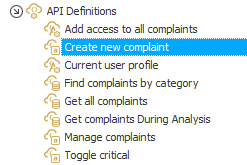
Selected API Definitions become MCP Server tools.
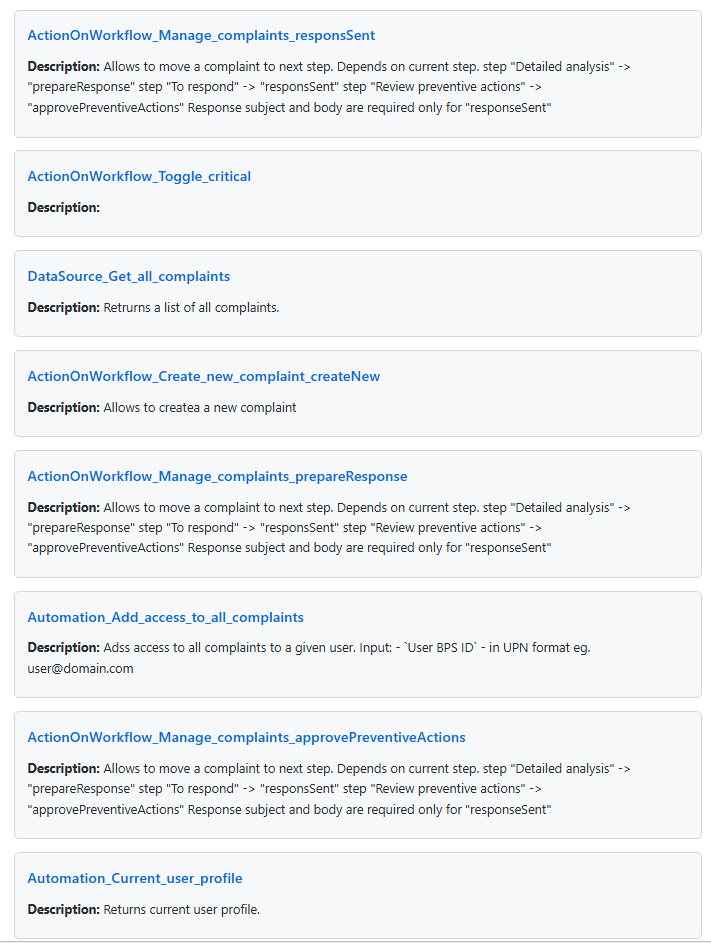
After creating a connector in a selected AI chat, the user can attach the application within the chat and use the available tools. AI can present data and provide suggestions aligned with user queries, but also execute operations exposed by the tools. In this case, it can, for example:
- grant another user access to a complaint,
- set a Yes/No form field “Critical”,
- move the workflow to subsequent steps,
- request AI-driven data analysis.
For example, it is possible to request help in detecting anomalies:
|
ID |
Instance number |
Why it looks anomalous |
Severity |
|
14 |
2026/02/00003/14 |
In Plan corrective actions but Severity is blank and Corrective action is blank |
High |
|
16 |
2026/02/00005/16 |
In Categorize complaint but already has Complaint category = Invoice and Severity = Low; summary suggests Product/Order instead |
High |
|
17 |
2026/02/00006/17 |
Summary looks like a generated prompt rather than an actual complaint |
High |
|
18 |
2026/02/00007/18 |
Similar records categorized differently; possible inconsistency |
Medium |
|
19 |
2026/02/00008/19 |
Complaint content does not match category or corrective action plan |
High |
|
27 |
2026/02/00009/27 |
Corrective action plan incomplete (“1”) |
High |
|
41 |
2026/03/00001/41 |
Summary suggests misclassification (Product vs Invoice) |
Medium |
|
42 |
2026/03/00002/42 |
Summary unrelated to category; likely test or misclassification |
Medium |
Additionally, AI can support reporting tasks (filtering, searching, grouping by workflow step, assigned user, etc.).
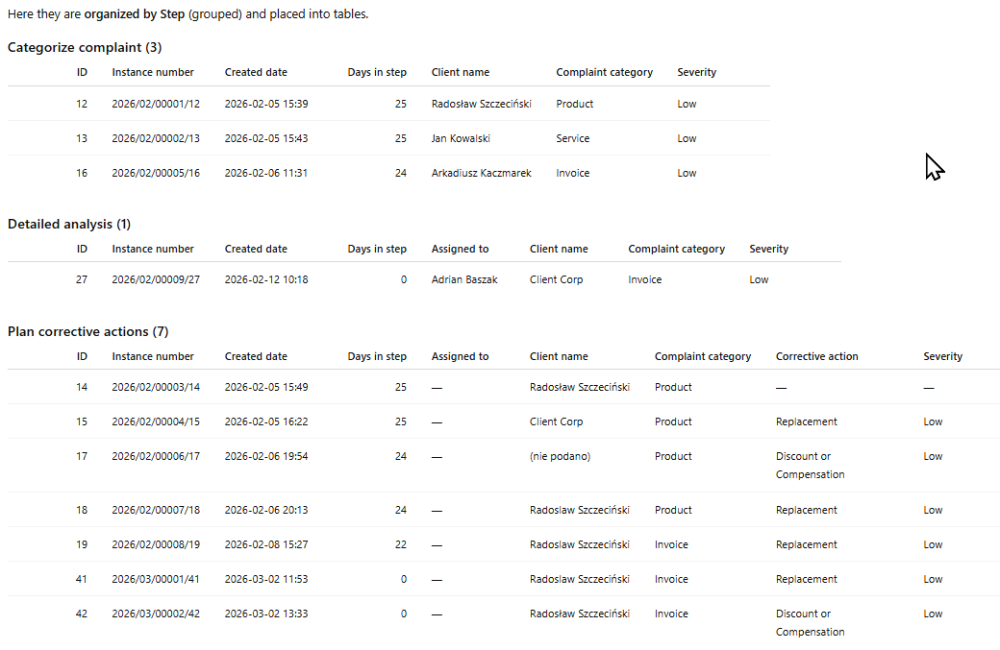
This scenario is not just another “chatbot for conversation”, but an example of AI embedded within a business process. The assistant does not operate alongside the application, but within it – analyzing form data, supporting users in entering information, evaluating consistency, suggesting priorities, and helping prepare responses.
If the user is ready to take action during the conversation, there is no need to switch between chat and the Portal. Key actions such as flagging, task assignment, or moving to the next stage can be performed directly within the chat.
Summary
MCP in WEBCON extends existing integration mechanisms, enabling the use of business logic in AI-driven scenarios without additional development. By separating general and application-specific servers, it supports both quick data access and advanced, process-specific integrations.
This solution provides the foundation for modern AI scenarios, where users interact with the system using natural language, and operations are executed in a controlled, secure, and business-rule-compliant manner.

+48 12 443 13 90