Home > Forum > Processes > system step does not move to next step (instance remains unfinished)

system step does not move to next step (instance remains unfinished)
0

Hello,

I seem to not understand how a system step works properly.

I have a workflow, in which I want to send a mail in a system step and then go on to the next step.

The mail is sent, but the system step does not go to the next step.

(we have Webcon 2025.2.1.91)

("move workflow" is not available; only "move workflow (sql)", but it is not possible to move the workflow you are in at the moment)
(there is only one path after the system step and it es marked as default path)
(the article covering system steps did not help me to understand)
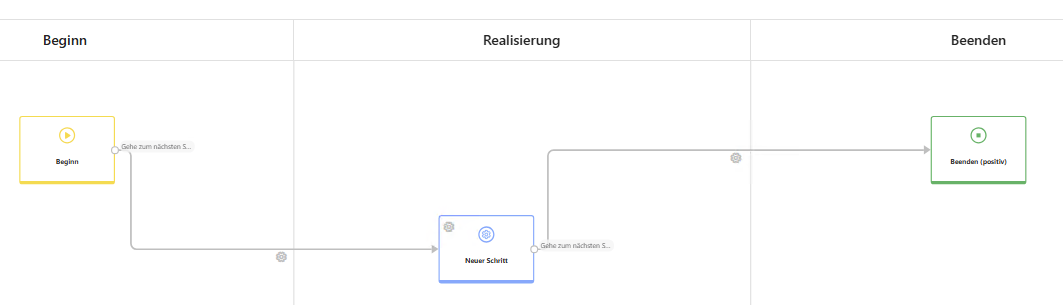
(I set up a simple workflow for testing, see picture)

Thanks already for your help.
MVP

Hi Stefan,
First, you don't need a system step to send an email. Just add an action to the path.
A system step is used to, for example, make your instance wait for another event (other workflows, APIs, integrations).
If you want/need to use a system step, you can exit it with a timeout action (e.g., one minute after entering the step).

Regards,
Jacek

Hi,

you have multiple options which are all pretty much based on timers.

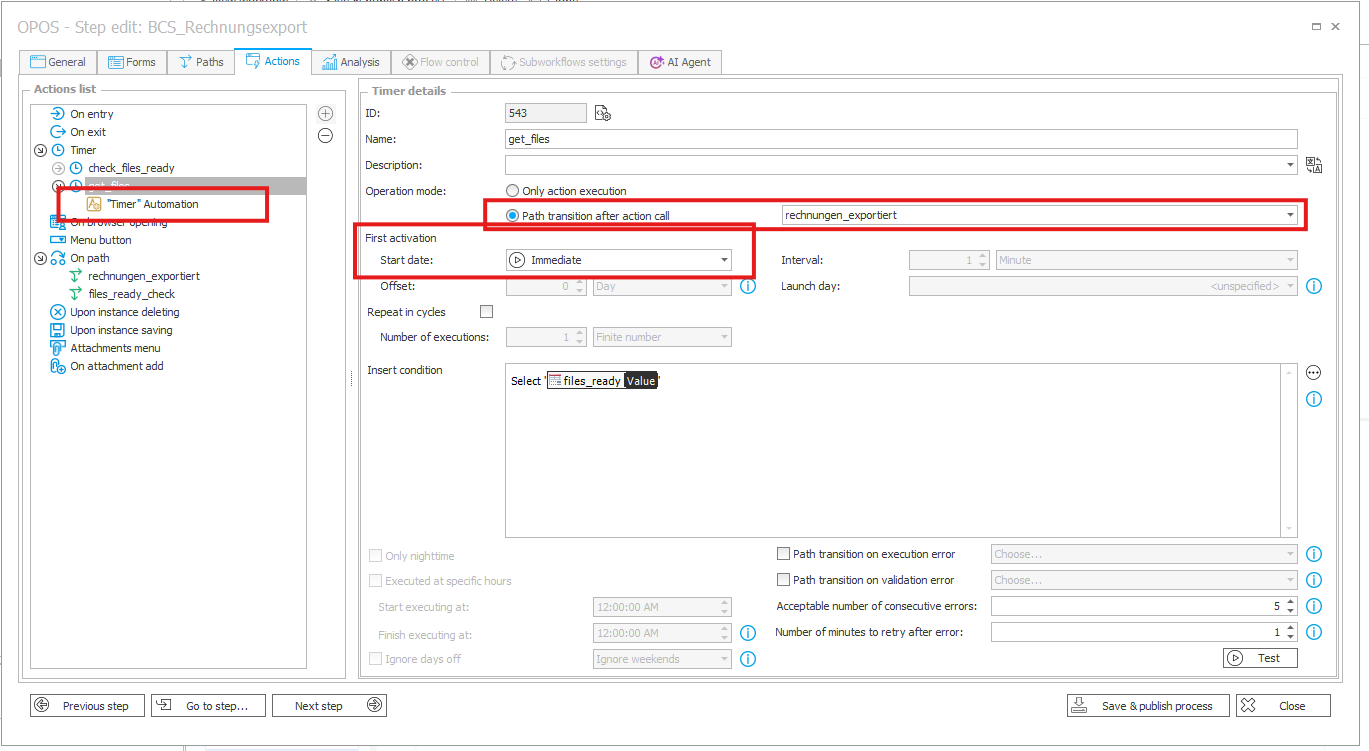
Within an instance itself you would use a timer action with the "path transtion after action call" which will trigger if the actions within this timer are completed successfully.
By selecting the start date "immediate" you would trigger the action immediately (the mail in your case) as the step is entered without any additional wait time. Move actions are restricted to other instances, so a process itself is not allowed to move itself.

If you want some kind of batch move action then you would need to utalize the timer action as a global action and use the move sql action to select multiple instances which would then be moved "together".


Kind regards.