Home > Forum > General > SQL Report — how to return one value row per list item (workaround for broken "report visibility independent from form visibility" checkbox)

SQL Report — how to return one value row per list item (workaround for broken "report visibility independent from form visibility" checkbox)
0

Hi all,

I'm running into a problem with a SQL-based report in WEBCON BPS. I need to pull data from an item list (WFElementDetails) so that each list item (DET_ID) becomes a separate report row, instead of one aggregated/concatenated value.

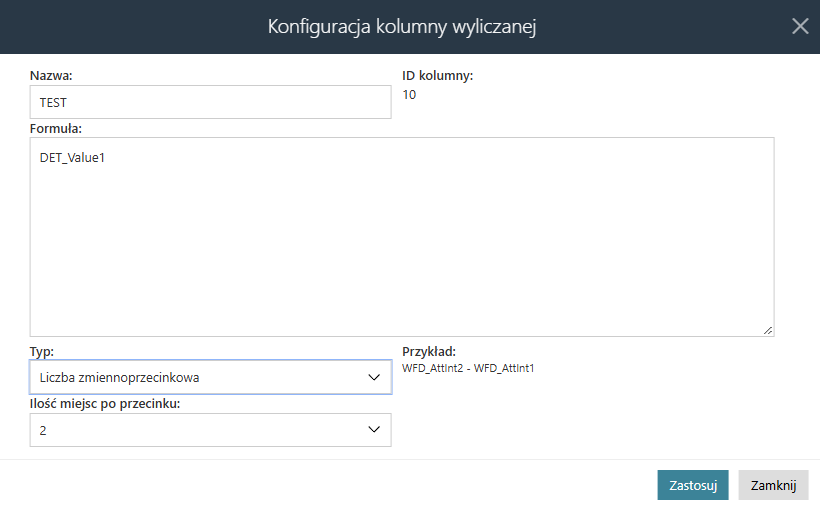
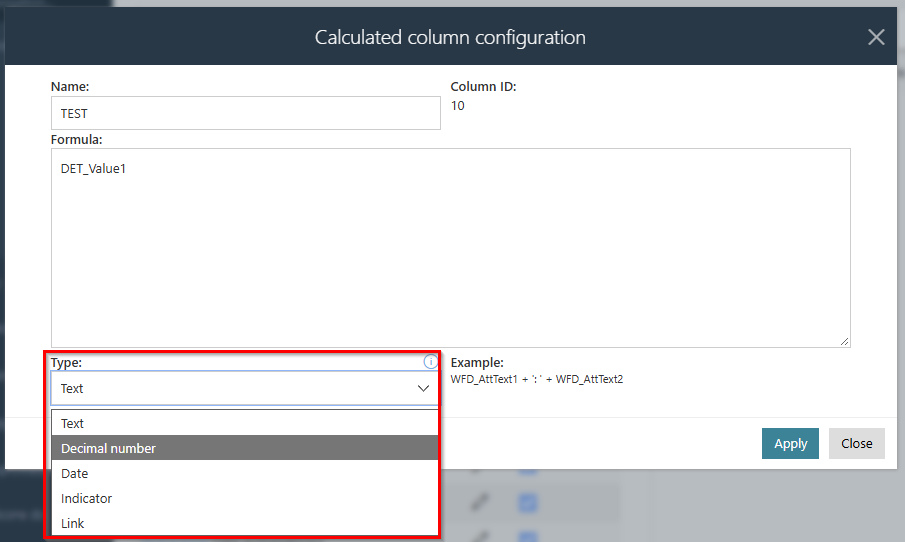
Normally I'd just add the item-list column directly through the built-in report column picker, but I can't use it — the column on the form has restricted visibility, and the "report visibility independent from form visibility" checkbox for item-list columns doesn't work for me (checking it doesn't change anything; the column still isn't available as an option in the report configuration). Screens ( column wont show up on raport )

So I'm trying to work around this with SQL in a calculated report column. I've managed to get something working that pulls all values from the list concatenated into a single cell (separated by ;):
(SELECT
CONVERT(varchar(50), d.DET_Value11) + '; '
FROM WFElementDetails d
WHERE d.DET_WFDID = wfelems.wfd_id
AND d.DET_WFConID = (SELECT WFCON_ID FROM WFConfigurations
WHERE WFCON_GUID = 'dfb85f1c-84a0-48ce-b7ee-9379e5815937')
FOR XML PATH(''))

This works, but it's not what I actually need — I need each DET_ID from the list to end up as its own report row, with its corresponding DET_Value11 value (so an element with 3 list items should produce 3 report rows, not 1).

Has anyone solved a similar problem — a report with one row per list item instead of one row per element?


In reply to: Maksymilian Stachowiak

Is that attribute by any chance in a group?
If so, have you set the permission restriction on group level too?

Yeha i mark every groups etc

But had information from support:

PL: Dzien dobry,
W przypadku widoczność kolumn na raportach dla kolumn listy pozycji, komunikat "Kolumna może być niewidoczna dla niektórych użytkowników" (ikona ostrzezenia w konfiguracji raportu) będzie wyświetlony zawsze, kiedy na atrybucie ustawiona jest jakakolwiek reguła ograniczająca widoczność, a obecność dowolnej reguły uniemożliwi wyświetlanie tej kolumny na raporcie (nawet jeśli w regule ograniczającej widoczność jest po prostu "TRUE", to i tak nie będzie widoczna na raporcie - jest to zamierzone działanie).
Checkbox o ktorym pan wspomina dziala tylko na pola naglowkowe jak mozna zauwazyc nie znajduje sie on na danych kolumnach listy pozycji.
Do naszej wewnetrznej aplikacji zostala juz zgloszona idea rozwoju w tym kierunku aby checkbox rowniez mogl byc wykorzystany dla kolumn listy pozycji.
Na ten moment dane z kolumn listy pozycji mozna wyswietlac wlasnie za pomoca kolumn wyliczanych tak jak pan to rozwiązał
ENG:
"Good morning,
Regarding column visibility on reports for item-list columns: the message "This column may be invisible for some users" (the warning icon in the report configuration) will always appear whenever the attribute has any rule restricting visibility set on it, and the presence of any such rule prevents the column from being shown on the report — even if the visibility-restricting rule is simply "TRUE", the column still won't be visible on the report. This is intended behavior.
The checkbox you mentioned only works for header fields — as you noticed, it's not available for item-list columns.
An idea to extend this functionality — so that the checkbox could also be used for item-list columns — has already been submitted to our internal application for development consideration.
At the moment, data from item-list columns can only be displayed using calculated columns, as you've already done."